
Controller setup
Gamepad setup
Give yourself more stick travel. Taller sticks or joystick extenders can make small adjustments and/or movement WAY easier.
Download Foz's PS5 thumbstick extender (.STL file)
Optionally: Use a rubber band to pull the throttle stick downward for a partial FPV controller experience.
FPV transmitter setup
For the setup described here, the transmitter needs to appear as a standard gamepad. A controller emulator such as x360ce provides that kind of mapping.
Camera tilt
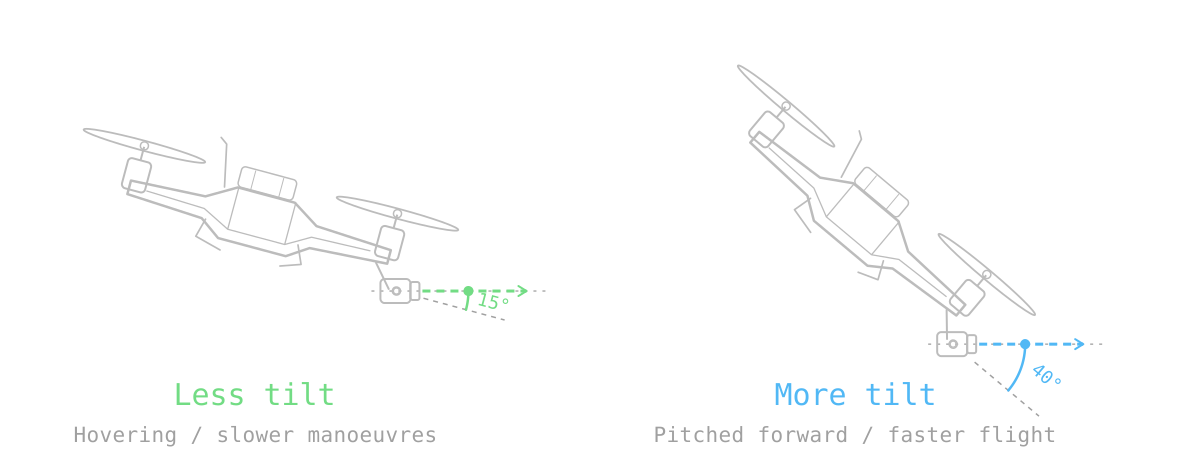
With the drone level, low camera tilt looks forward and high camera tilt looks upward. The camera angle changes your view, not the drone's speed.
Less tilt suits hovering, tight spaces and slower manoeuvres. More upward tilt helps you keep looking ahead when the drone pitches forward during fast flight.
Basic sensitivity profiles
These are multipliers for your advanced rate settings. Switch between profiles without changing each advanced value.
Start with 70 / 110 / 150 for Low / Medium / High. Adjust them when you feel a different overall sensitivity would suit you.
RC Rates
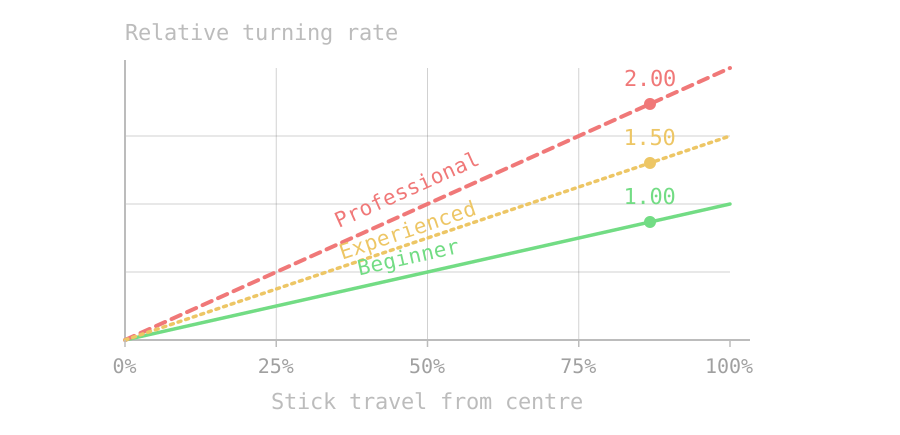
RC Rate changes your overall turning sensitivity for Roll, Pitch and Yaw. A higher value produces faster rotation for the same stick movement.
Suggested RC Rates: Beginner 1.00 · Experienced 1.50 · Professional 2.00.
Super Rates
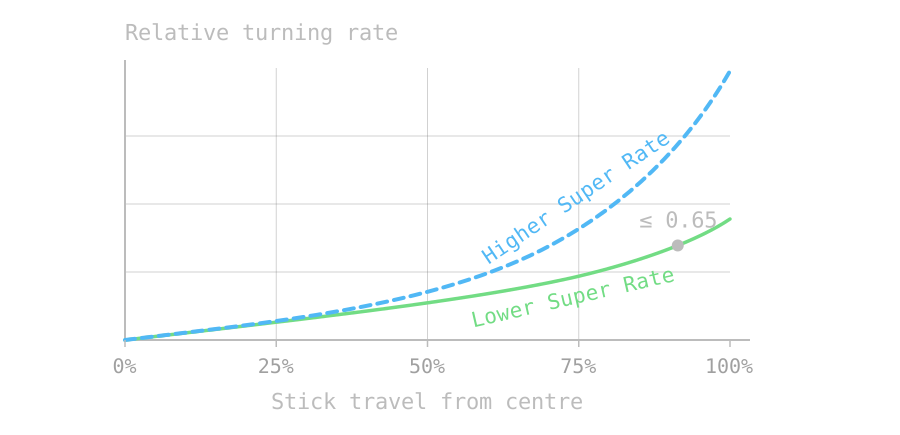
Super Rate makes the response more aggressive near full stick. The recommendation is 0.65 or below, especially with short sticks!
RC Expo Rates
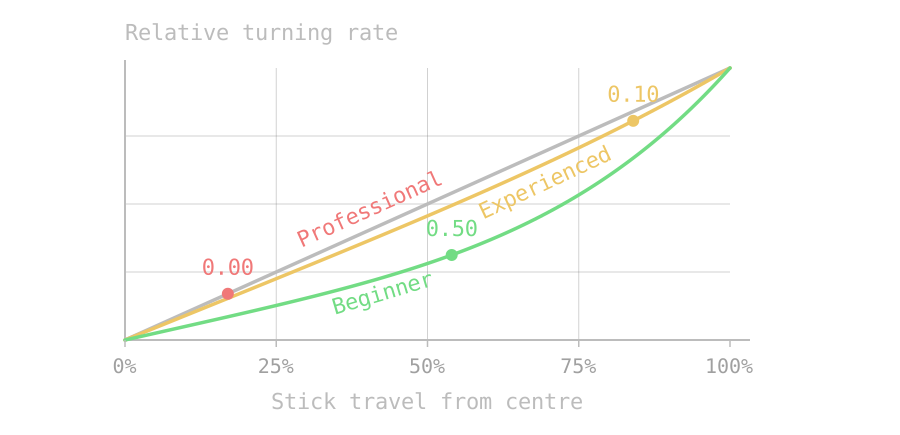
Expo softens the response near stick centre on Roll, Pitch and Yaw. Higher values make small stick movements gentler; zero Expo gives a direct response.
Suggested Expo values: Beginner 0.50 · Experienced 0.10 · Professional 0.00.
Expo changes the response curve; it is separate from input smoothing and deadzone adjustments.
Advanced throttle controls
Throttle Expo
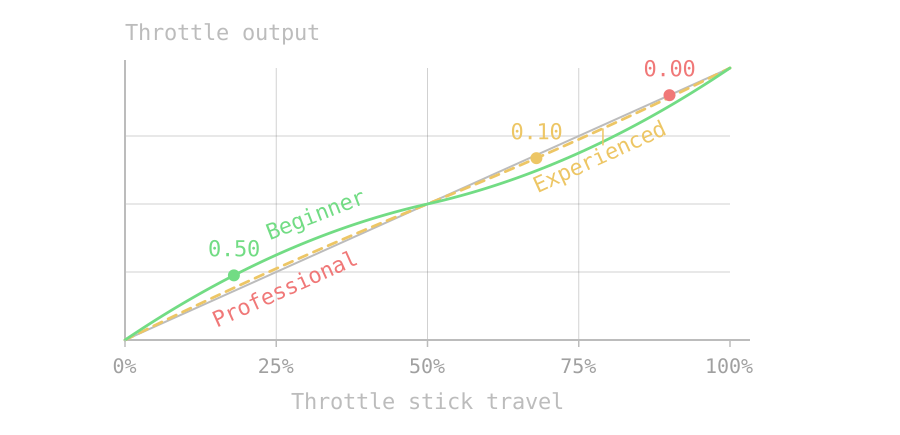
Throttle Expo shapes throttle response around its midpoint. More Expo makes small changes near that point gentler.
Suggested Expo values: Beginner 0.50 · Experienced 0.10 · Professional 0.00.
Throttle Mid
Controller sticks jump back to centre, while an FPV transmitter's throttle usually stays where you leave it. Throttle Mid shifts how the stick position maps to throttle.
Joystick: raise Throttle Mid (1.01 or above) until the drone descends with the throttle stick centred. This reduces the need to "fight the spring".
FPV transmitter: set it to 0.
Sources
Guide and STL file by Foz, visualization and page by Jusku.
References: